Mango features
A new way to watch, read, and learn.
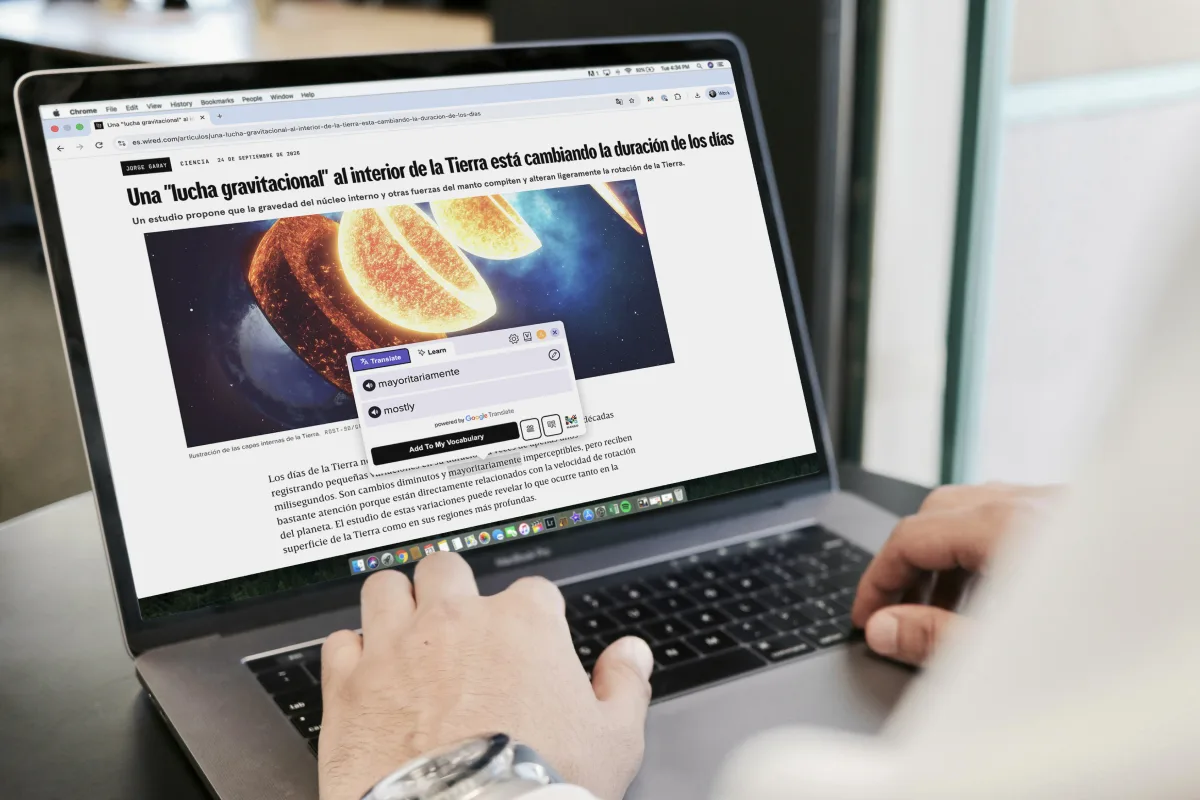
The internet is full of authentic content in the language you’re learning. Mango Reader turns articles, videos, music, and movies into a learning experience. Select words or phrases for translation, hear it said out loud, and save it to review later in Mango. Free to install and free to use with a Mango account.

What it is
The best material to learn was never written for learners.
Somewhere right now, a newspaper in Buenos Aires is running a story everybody is commenting about. A cook in Osaka is writing down how long to rest the dough. A forum in Warsaw is three hundred replies deep on a film that came out last week.
Mango Reader unlocks content written in another language with a tap. You’re in control of what interests you, and Mango Reader sits ready to translate and expand on it. Nothing to import, nothing to paste into another window. You can read the passage itself, building upon what you’ve learned in Mango to apply it to the real world.
Watching counts too
Subtitles are reading too.
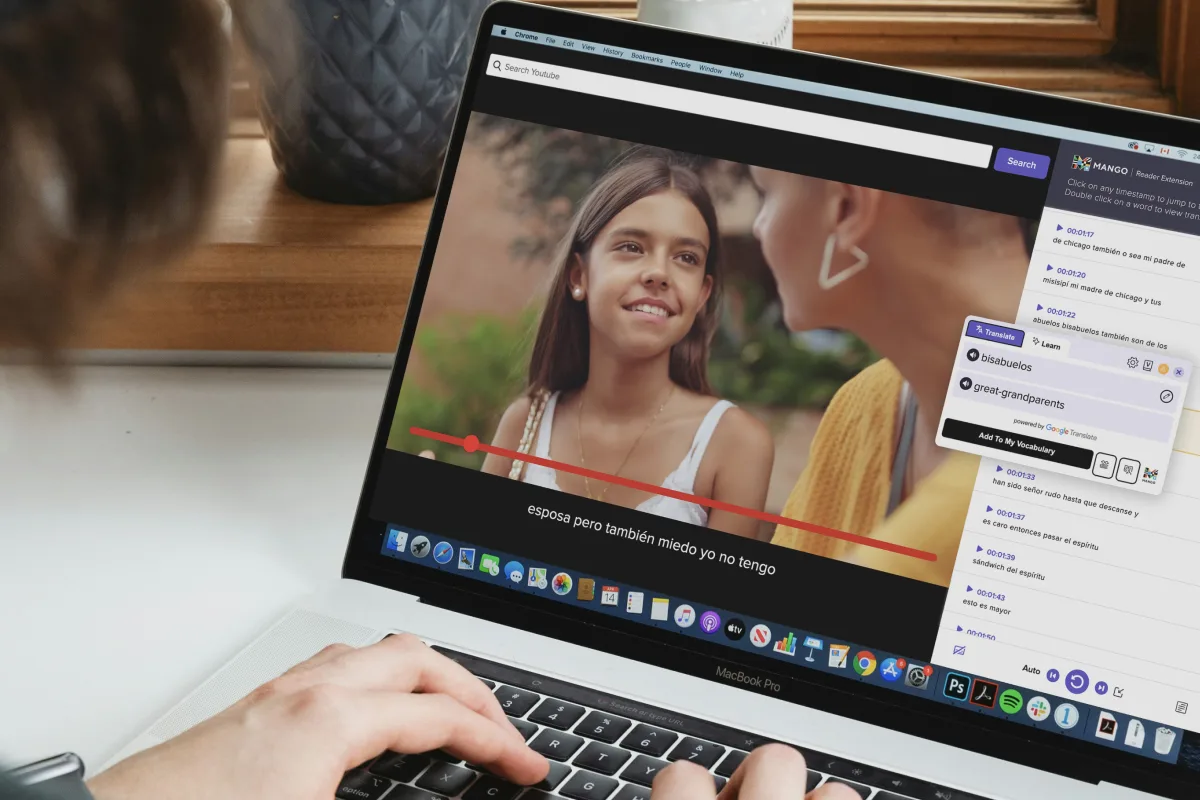
In Chrome, Mango Reader reads subtitles on Netflix® and YouTube™ the same way it reads a page.
See subtitles in both languages at once, move through the dialogue one phrase at a time, and replay a line as often as you want. Click any word in a subtitle and view the same interface you would in an article.
Watching movies or short-form content in its spoken language is just another way Mango Reader lets you practice learning a language without it feeling like effort.
Where it fits
One vocabulary list, wherever you found the words.
Words you highlight while reading or watching can be saved directly to the Mango app with a single tap. Open your Vocabulary tab, and you’ll find them ready and waiting for review to build them into long-term memory.
What it does
Everything happens on the page you are already on.
Word and phrase meanings
Select a single word or a whole phrase for a translation in place. No new tabs, right in place on the page.
Hear it, rather than guess
Play the word or phrase aloud, so you can listen and repeat new content seamlessly.
More when a word deserves it
Dictionary entries, conjugation tables, root forms and real example sentences, in the languages that support them.
Straight into My Vocabulary
Save words as you read them and they sync right to My Vocabulary in Mango, ready to review alongside everything else you’re learning.
Two ways to read
On your laptop, or in your pocket.
- 57
languages
Chrome extension
Reads any page on the open web
Translate, see dictionary entries, and save words into vocabulary lists
Works with Netflix® and YouTube™ subtitles
- 14
languages
iPhone and iPad app
A browser built for reading, with focused content and bookmarking functions
Translate, see dictionary entries, and save words into vocabulary lists
Works with YouTube™ subtitles
Available languages and features vary by language and by platform. Netflix is a registered trademark of Netflix, Inc. YouTube is a trademark of Google LLC. Mango is not affiliated with, sponsored by, or endorsed by either company. Translation in the Chrome extension is powered by Google Translate.
Start reading like you live there
Mango Reader works with your Mango login. Pick a language and start reading, in Chrome or on your phone.